Every clip,
exactly where it belongs.
Enchant brings in your camera cards, reads the slate on every clip and hands your editors a library sorted by scene, shot and take — one project for the whole crew, from set to office to edit room. Analysis runs on your own machine; you share only the copies you choose.
Windows · macOS (Apple silicon) · Free for your first 30 clips · No credit card
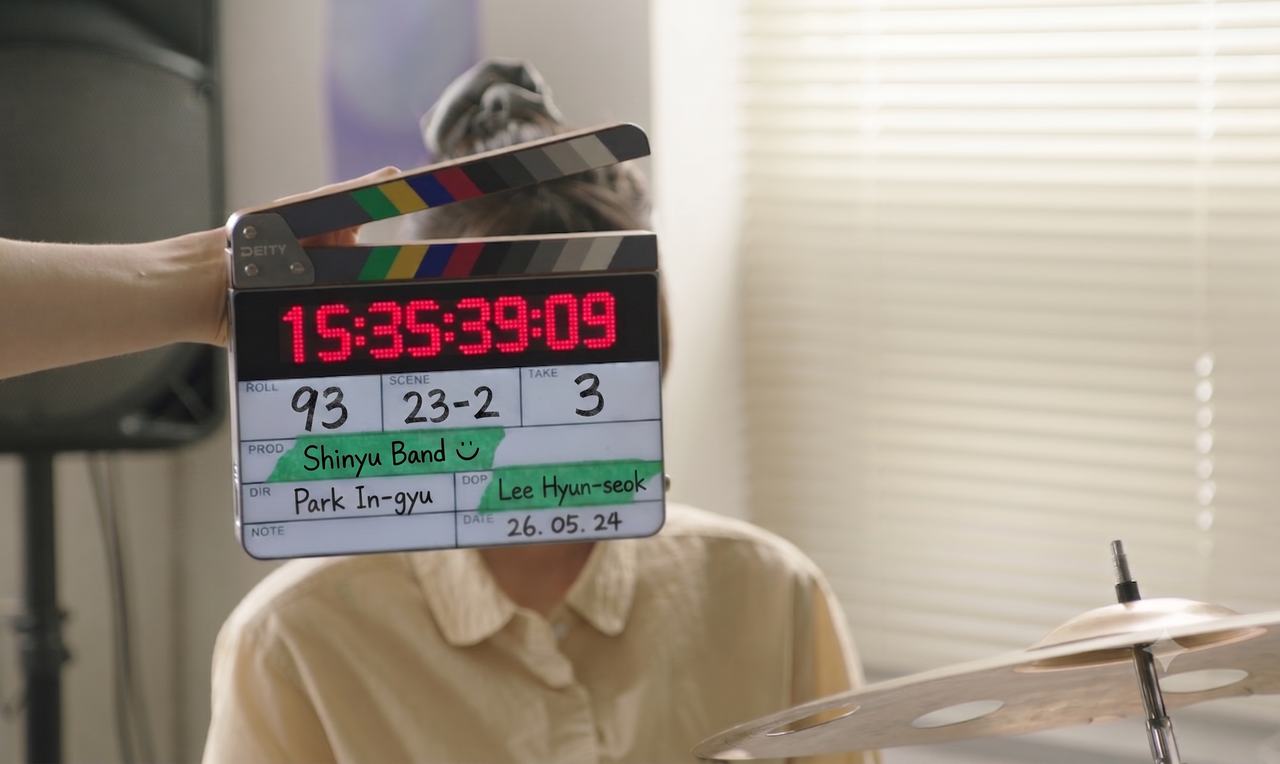
It reads the slate, frame by frame.
Scene, cut, take, roll — lifted straight off the clapperboard in the first seconds of every clip. No logging pass, no renaming, no intern. Every frame is read where it already sits, on your own hardware.
- Confidence-scored — sure reads get filed, unsure ones get flagged — never guessed silently
- Cross-checked — take numbers verified against the count on the card
- Stays on your machine — the model runs on your own GPU, so analysis never sends your footage anywhere; you share only the copies you choose
Find the shot you remember.
For everything the slate can’t tell you —
search by what’s in the frame.
Everything between the shoot and the cut.
Scene detection
Every take, split at the cut.
Transcripts
Every interview, searchable as text.
Sync
Paired by shoot day and timecode, then lined up by waveform.
Camera-native
RAW to H.264, read straight off the card — no transcode first.
Suspect reads
Every misread, flagged for review.
Proxies
Every clip, light to cut and full-res to conform.
Scene detection
Every take, split at the cut.
- Analysis runs on your own machine, right where the footage already sits.
- For everything the slate can’t tell you — search by what’s in the frame.
Transcripts
Every interview, searchable as text.
- Find the shot you remember by what was said, not only by what’s in the frame.
- Analysis runs on your own machine.
Sync
Paired by shoot day and timecode, then lined up by waveform.
- The recorder’s files line up with the takes they belong to.
- Unsure matches wait for review — never a guess.
Camera-native
RAW to H.264, read straight off the card — no transcode first.
- BRAW, R3D, ARRIRAW, ProRes, XAVC-I, H.265 and more.
- Your originals stay where they are.
Suspect reads
Every misread, flagged for review.
- Confidence-scored — sure reads get filed, unsure ones get flagged, never guessed silently.
- Take numbers are cross-checked against the count on the card.
Proxies
Every clip, light to cut and full-res to conform.
- Light copies go up to Enchant Cloud; originals stay on the drives.
- Your editor starts cutting while you are still shooting.
Still shooting. Already cutting.
Back up the card, send light copies to Enchant Cloud, and your editor starts cutting while you are still shooting.
Two copies of every card, checked file by file (xxHash, ASC MHL).
Drops straight into your timeline.
Drop your selects into the editor you already use — scenes, takes and OK marks intact. Rather ask for the cut? Enchant AI edits it in Enchant Vision ↓
Studio: straight into the app — no file to move.
Any edition: FCPXML · bins & flagsFCP7 XML · Export Timeline
Ask for the cut. Get a timeline.
Type what you want. Enchant AI pulls the takes from Enchant Organize and edits them on the Enchant Vision timeline.
Buy only the credits you need.
One credit analyzes one clip. That’s the whole model.
- 1 credit = 1 clip analyzed
- Credits never expire
- Bulk packs cost less per credit
- Email support
- Everything in Credits
- Team collaboration & shared libraries
- API integration support
- Dedicated technical support
- Custom feature development
1 credit = 1 clip analyzedBulk purchase or special requirements? [email protected]
Tonight’s footage, sorted by morning.
Free for your first 30 clips · No credit card